








Modern tools that are powered by AI have made it easier than ever to create professional-looking presentations. This comparison will review three of the most popular tools: Visme, Design.com, and Prezi, to provide the information you need to decide which tools work best for you.
The comparison covers a variety of items, including usability, overall value, and primary features, to ensure your slides look polished and effective.
Quick Comparison
| Feature | Design.com | Visme | Prezi |
| AI-Powered Tools | Extensive AI presentation and branding tools | Limited AI suggestions for design | No AI features |
| Templates | 1M+ design templates, 400K+ presentation templates | Hundreds of templates | Hundreds of zoomable templates |
| Branding & Customization | Full branding integration, exclusive fonts & icons | Brand kit with colors & fonts | Minimal branding customization |
| Editing System | Chat-style AI editing for icons, text, and layouts | Drag-and-drop editor | Non-linear canvas editing |
| Export Options | PDF, PPTX, PNG, JPG, MP4, animated options | PDF, PPTX, HTML | PDF, Video |
| Additional Design Tools | Flyers, posters, social posts, digital cards, websites | Infographics, charts, visuals | Limited extra design tools |
| Collaboration | Yes, plus voting polls and favorites list | Yes, team editing & sharing | Yes, real-time collaboration |
| Commercial Use & Licensing | All designs are copyright-safe with an extended license option | Paid plans required for full commercial use | Paid plans required for commercial use |
Design.com
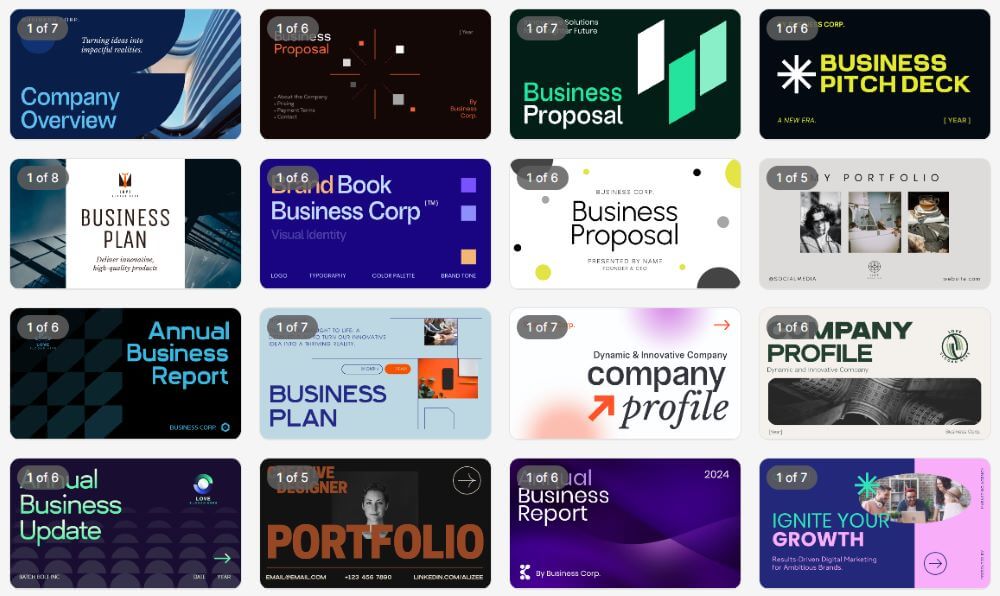
The number one logo, branding, and presentation platform, Design.com, offers a variety of features, including an AI-powered toolkit to create professionally designed presentations rapidly and efficiently.
Key Features
- AI-Powered Presentation Builder: Rapidly creates and designs presentation slides using AI-generated layout, content, and graphic options.
- Access to Templates: Over 400,000 Logo and Presentation Templates, and more than 1 Million Design Templates are available for use within any industry.
- AI Editing Platform: Utilize a chat-style interface to edit individual slide elements, text, and icons while ensuring copyright-safe results.
- Brand Integration & Customization: Exclusive Fonts, Vector Shapes, Icons, and Brand Color integration to ensure consistency across all designs created on Design.com.
- Export: Export and download your presentations in PDF, PPTX, JPG, PNG, or animated MP4 format for both digital and print applications.
- Integration: Create and integrate Social Media Posts, Digital Business Cards, Flyers, Posters, and Websites into your presentations to further promote your brand.
- Print and Delivery: Print your presentations and promotional materials, such as posters or handouts, with Free Shipping and Delivery from Design.com.
- Customer Support & Accessibility: 24/7 customer support via Email and Chat in Multiple Languages is also available at Design.com.
Why Use Design.com
Design.com has a large array of AI tools, thousands of exclusive templates, and professional-level customization, making it the perfect choice for both Individuals and Teams who want a fully Branded Presentation Experience without having to possess design experience.
Visme
Visme is an online design tool that allows you to make visual materials like presentations, infographic and other visual content by using pre-made templates and easy to use drag and drop functionality.
Key Features
- Template Library: Hundreds of template options are available to choose from for making presentations, reports, infographics, and charts.
- Drag-and-Drop Functionality: Easy to customize slides by adding text, images, graphics, charts, and animation.
- Stock Photos & Icons/Vectors: Stock photos, icon and vectors are built into the system for added visual interest.
- Branding Kit: Build a consistent look for all of your slides with your company’s color palette, font choices, and logo.
- Export Options: Export your presentation as PDF, PPTX, or HTML so you can post them digitally or print them out.
- Real-Time Team Collaboration: Invite your team members to collaborate with you in real time by sharing your project with them.
- Viewership Analytics: Use analytics tracking to see how many people viewed your presentation and what viewers did while viewing it.
If you’re looking for a product that makes creating visually appealing materials and offers collaboration features, but you don’t need to have access to the advanced AI technology used in Design.com’s branding and editing functions, then Visme is a good option for you.
Prezi
Prezi provides users a unique, non-linear way of presenting information through a canvas that allows you to move dynamically between your slides to tell a story and direct the viewer’s eye to specific elements of the slide.



Key Features
- Canvas: Create a non-linear presentation by moving back and forth between slides to tell a story and create a dynamic experience.
- Template Library: Provide pre-made templates to help optimize content for various industry-specific needs and presentation styles.
- Collaborative Editing: Allow multiple users to edit the same presentation at the same time.
- Embed Media: Add interactive media such as embedded video, images, charts, etc., to increase audience engagement.
- Cloud-Based: Allow access to your presentation from anywhere you have an internet connection.
- Export: Export options include present live online, export as a PDF, or video format for offline use.
Users seeking a visually appealing, non-traditional method of creating a presentation will find value in using Prezi; however, it does not currently offer AI-based features for rapid editing and brand consistency.
Summary
Design.com stands out from other presentation builders due to AI-driven functionality, an expansive library of templates, and a level of integration of brand elements across Design.com’s suite of products. While Visme and Prezi are great alternatives for users who want to create infographics, tell non-linear stories, etc., they do not provide the level of AI-based customization, proprietary design assets, and consistent professional branding as does Design.com.
If you are a professional or team member who needs to produce exceptional, fully-branded, and quick presentations, Design.com is clearly the best option.